Tier list maker / How to make a tier list
How to make a tier list
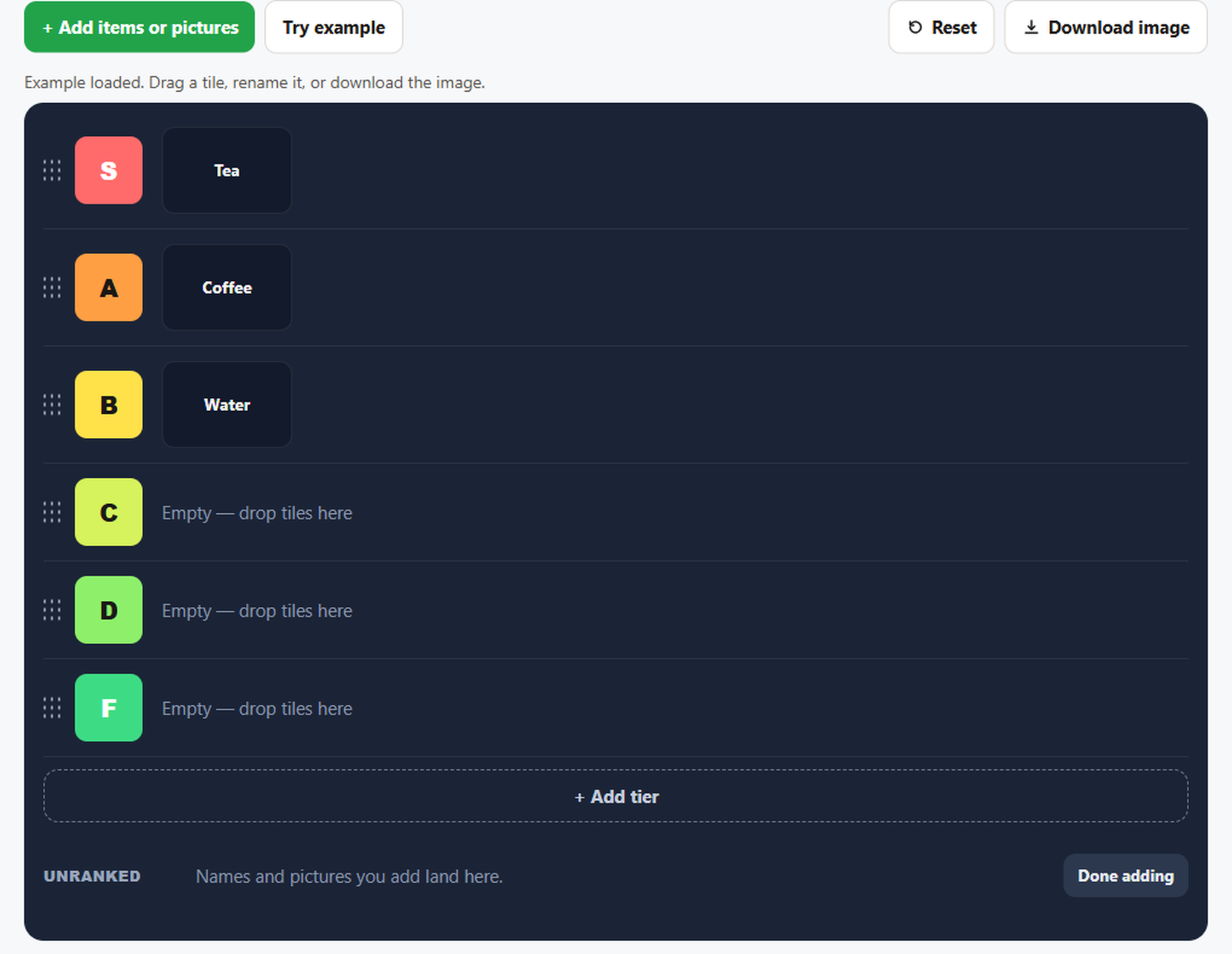
A tier list ranks names or pictures in rows. S is the top row. A, B, C, D, and F follow it. This page uses the free maker at TierListCraft. There is no account. Names and pictures stay in the browser, and Download image builds the PNG on your device.
Make one with names only
- Open the tier list maker.
- Choose Add items or pictures.
- Type one name per line. Tea, Coffee, and Water are the names in Try example.
- Choose Add names. The names land in Unranked.
- Drag a name onto S, A, B, C, D, or F. You can also pick the row from the menu on the tile.
- Click a name to rename it.
- Choose Download image.
Try example opens a finished list titled Drinks: Tea in S, Coffee in A, and Water in B. Use it when you want to see the board before you type your own names.
Add pictures
In the same adder, choose Add pictures and pick image files from your device. Each file needs to be an image under 6 MB. One pick can add up to 40 files. A larger file is skipped. Click a picture on the board to replace it. The name under the picture does not change when you replace the file. The files are not sent to a server. Full steps: picture tier list maker.
What S, A, B, C, D, and F mean
S is the top row. A is the next row, then B, C, D, and F. There is no E row. The letters are labels, not a score. How to rename a row, change its color, move it, or add one: what S through F mean.
What the download contains
Download image draws the board in this browser. The PNG is 1200 pixels wide. It includes the list title, a description when you typed one, and the rows you filled. Empty ranked rows are left off when another row has something on it. The text tierlistcraft.com is drawn at the bottom. The file is not uploaded. File name and what is included: download a tier list.
If you only want names, follow the text tier list maker steps and skip Add pictures.
Names you add are saved on this device for the next visit. A picture stays only when the browser can store it. If storage is full, the names are kept and the pictures are not.
FAQ
What do S, A, B, C, D, and F mean on a tier list?
S is the top row. A is next, then B, C, D, and F. There is no E. You can rename any row. The letters are labels, not a score.
Can I make a tier list with text only?
Yes. Type names, one per line. Pictures are optional.
Is the tier list saved online?
No. Names are saved in this browser. A picture stays for the next visit only when the browser can store it. Nothing on the board is uploaded.